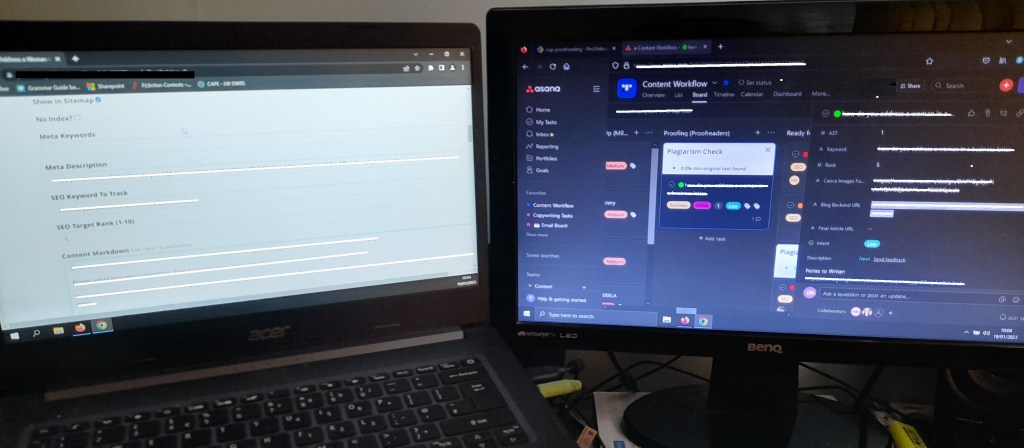
I work from home and for most editing projects I use a two-screen set-up. When I first became self-employed in 2011, I started off working from a laptop in the corner of my living room, but in 2014 I was fortunate enough to move to a flat with my own dedicated office space. We live on a one-way street so it’s a nice, quiet room, although I’ve had to adjust to my partner also working from home since Covid! But I’ll save those details for another post.
Today, I’m editing blog posts for a longstanding client. On one screen, I have all of the background information. This is communicated from the client using two platforms: Slack, where I get notified about which blog posts need to be edited, and Asana, which tells me detailed information such as the brief the writer followed, the images added from Canva and the SEO keywords to include in headings and metadata.
On the second screen, I edit the content directly in the back end of the client’s website. The writer should have already used basic Markdown syntax, so I check this is in place and correct any errors, as well as editing the content itself. I follow the style conventions of the client and correct any typos. This blog is in American English, so occasionally I also convert any British spellings that have slipped through into their US equivalents.
When I’ve finished editing, I set the post as “awaiting approval” and move it to the marketing team board in Asana. Then I add a green tick (“checkmark” in US English!) in Slack to indicate that piece is done. There may be interactions with the wider team on different channels, e.g. answering a grammar query from the social media team, or if not I’ll crack on with the next post. Both the Slack notifications and Asana boards have red, orange and green traffic lights to indicate which posts get priority.
The two-screen set-up is really useful. On this project, it allows me to separate out the lateral work of client communications and the linear work of the editing itself. Next time I’m working on an ELT project, I’ll show you the set-up when there are PDFs in play.
 Caroline Hynds – Freelance editor
Leave a comment